Relupe
May 2026
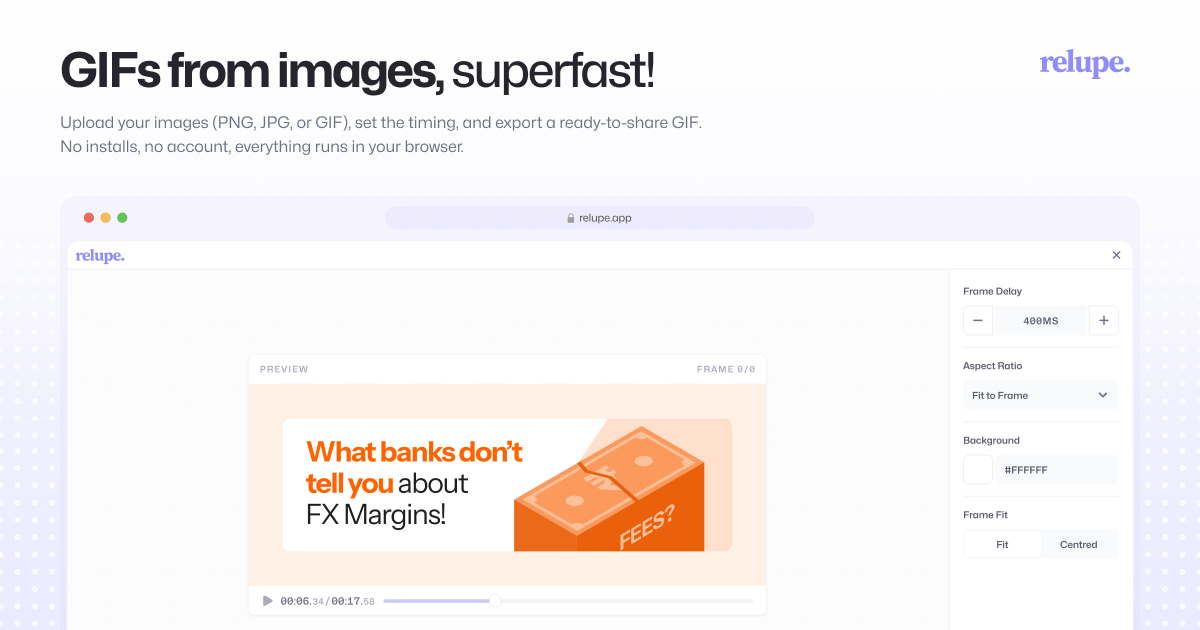
Relupe (pronounced reloop) is a web-based GIF creation tool. It lets you upload static images, arrange them into a sequence, control the timing between frames, and export the result as a GIF.
Here, I share the features of the tool alongside some intentional details I paid attention to while building it.
Canvas Controls
Custom aspect ratio presets, manual resizing, background color fill, and frame margins give you precise control over how your GIF is composed and exported.
Drag to Reorder Interaction
Frames lift and glide as you drag them into position, with surrounding frames shifting fluidly to accommodate previously occupied space.
Timeline Interactions
The timeline is fully responsive to how you interact with it. Drag the scrubber and the preview follows your cursor in real-time. Click anywhere on the timeline and it eases smoothly to that frame, no abrupt jumps.
Deleting Frames
A deleted frame shrinks and fades out softly while the next frame eases into its place, with undo playing the entire animation in reverse.
Highlighting Restored Frames
When deleted frames are restored via undo, they are automatically selected, making it immediately clear which frames were brought back.
Frame selection during playback
Click a frame while playing and the preview instantly jumps to that moment and pauses — fluidly, not abruptly.
Keyboard Shortcuts
Space to play/pause, Delete to delete a frame or selected frames. Ctrl or Command-Z to undo, Shift to select multiple frames. Standard interactions that feel native to the user.
Relupe is still a work in progress and there are a few more features I'm planning to ship over time, but the intention behind every detail will stay the same.
Try it out — relupe.app